Say it. Then shape it.
Describe what you want the way you’d tell a designer. ShapeNook works out the real sizes and makes it: a useful thing built from shapes you can still edit, a building, or a sculpted 3D figure.
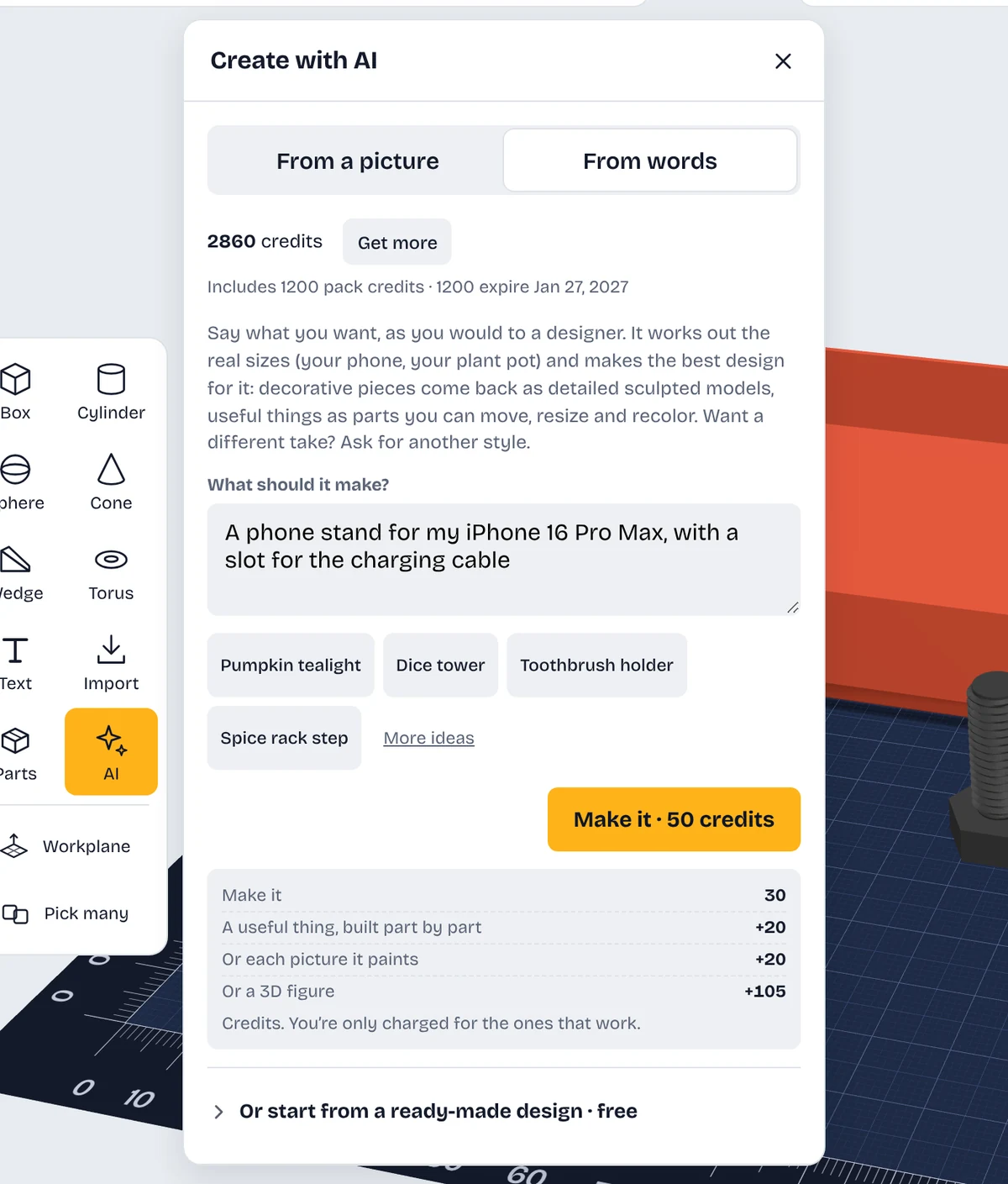
Six ways to start
Describe it
“A phone stand for an iPhone 16 Pro Max.” You get a few styles to choose from, each made of ordinary shapes you can resize, recolor and change.
Build it
“A Cape Cod cottage,” “a red barn,” “a lighthouse on a rocky cliff” or “a castle on a crag.” Houses in many styles, cabins, barns, chapels, lighthouses and castles come out crisp, with doors, windows, shingles and stonework, as one solid piece ready to print. Houses and castles
Sculpt it
“A sloth hanging from a branch,” “a clown juggling,” “an owl on a stump.” Creatures, characters and objects become a detailed solid figure with a flat base, sized to fit your printer. Paint it in colors with Plus. On Free, figures use pack credits. 3D figures
3D figure
Turn a picture of a character, animal or object into a solid figure about 80 mm tall, in up to the number of colors you choose. Resize it, add a base or split it like any other model.
Flat art
Turn a logo, drawing, illustration or photo-like picture into flat, raised pieces, one per color, ready for a multi-color print. AI redraws it in clean flat colors with bold outlines first, so details like leaves and lettering stay sharp. Pick 2 to 16 colors. Any lettering is read first so you can check the spelling. Having AI name the parts is optional, 20 credits.
Start from a design
Rather not use AI? Many ideas already have a free ready-made design you can place and change: stands, hooks, organizers, planters and more.
Browse ready-made designs →Every result lands on the mat as a normal design: resize it to the millimeter, add a name, cut a hole, paint it, or split it to fit a small bed.
Try your own words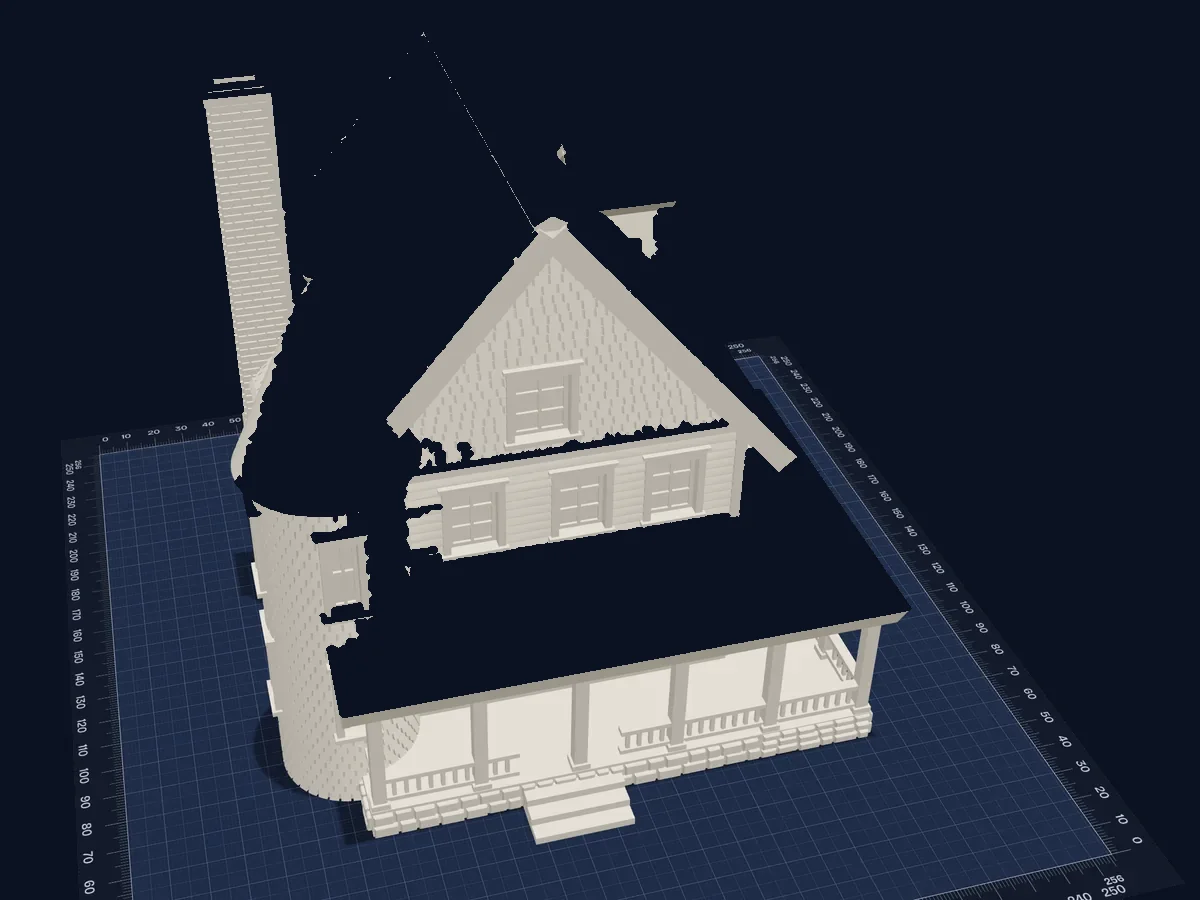

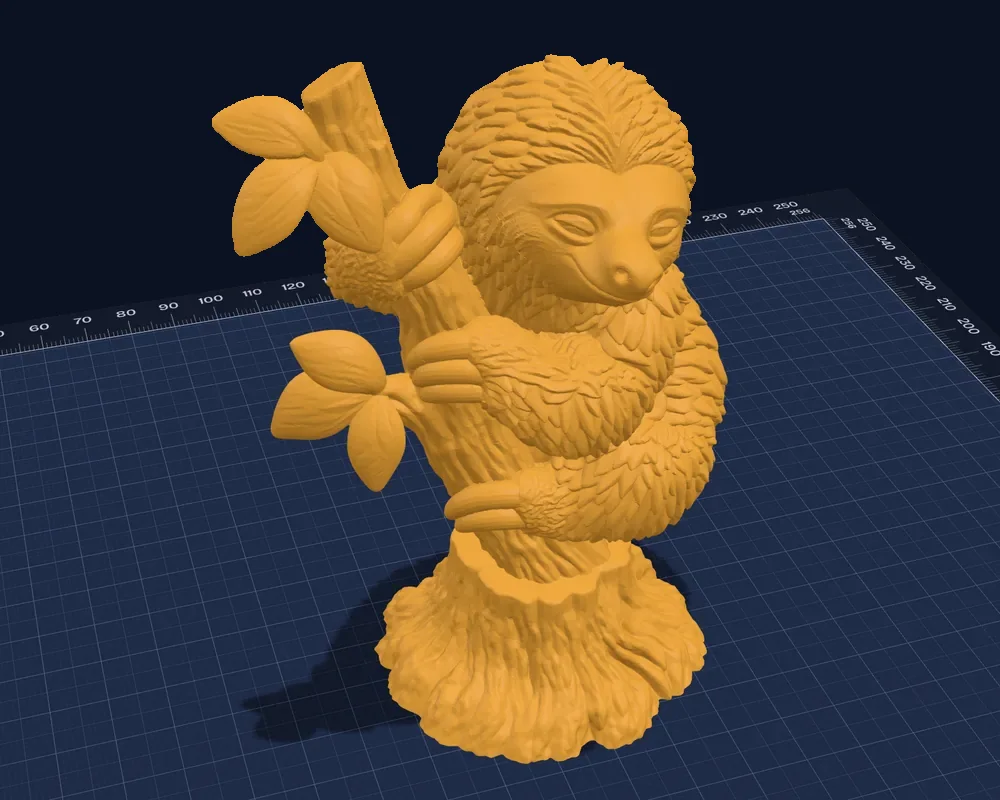
Real results from the studio, one solid piece, sized for your printer.
How credits work
Each AI request shows its cost before you send it, and you’re only charged for what works. Describing a design or a building is about 50 credits, a 3D figure from words is 135, a castle with a creature on it is 155, a 3D figure from a picture is 125 (Plus), flat art from a picture is 60 (Plus) and naming its parts is 20. Every ready-made design is free. Up to 10 figures a day per account.
Plus credits don’t stack: each month you’re topped back up to 1,000. Need more? Credit packs start at $3.99 for 500 credits (the intro pack, once), work on Free or Plus, and last 90 days.