Where ShapeNook is headed.
What’s built, what’s in testing and what’s next. Updated November 2026. Leave your email and we’ll tell you when something new lands.
{{msg}}
We’ll only email about ShapeNook updates. Unsubscribe any time.
What’s built, what’s in testing and what’s next. Updated November 2026. Leave your email and we’ll tell you when something new lands.
{{msg}}
We’ll only email about ShapeNook updates. Unsubscribe any time.
What’s built, what’s in testing and what’s next. Updated November 2026. Leave your email and we’ll tell you when something new lands.
We’ll only email about ShapeNook updates. Unsubscribe any time.
The full studio for finger and pen, with the same account and designs as the browser. Free on the App Store; it needs iPadOS 16.4 or later.
Download on the App StoreThe Android tablet app (Android 10 or later) is in testing. It goes into Google Play once testing wraps up.
About the appsTurn a photo into a lithophane: a thin panel that shows the picture when light shines through it. Flat, curved and lamp-shade shapes, sized for your printer.
Ready-made Christmas ornaments to change and print: snowflakes, stars and tags with a ribbon hole, set up to print flat in two colors.
Design an ornament todayHinges, ball joints and flexi links sized from your Moving parts test, so a jointed toy or a hinged box prints already put together and moves.
How joints work nowBefore you export, see any line, letter or gap too narrow for your nozzle to print, the way the Overhang check shows overhangs.
Keep details sharp todayType the sizes of the things you want to store and get a tray with a pocket for each one, with room to lift them out.
Sign your work: type your name in a signature style, sign on screen or bring in a drawing file, then cut it into the bottom of a print or raise it on top. Thin lines are thickened to suit your nozzle. Free to try on your design; exporting it comes with Plus.
Guide: Sign your work
Pockets, see-through stand-ins and holders for LED tea lights, batteries, coins, tracker tags and more, plus dovetails, puzzle joints and a flush screw cap. A stand-in shows how the real thing fits, turns red where it hits a wall, and never exports.
Guide: Design around real objects
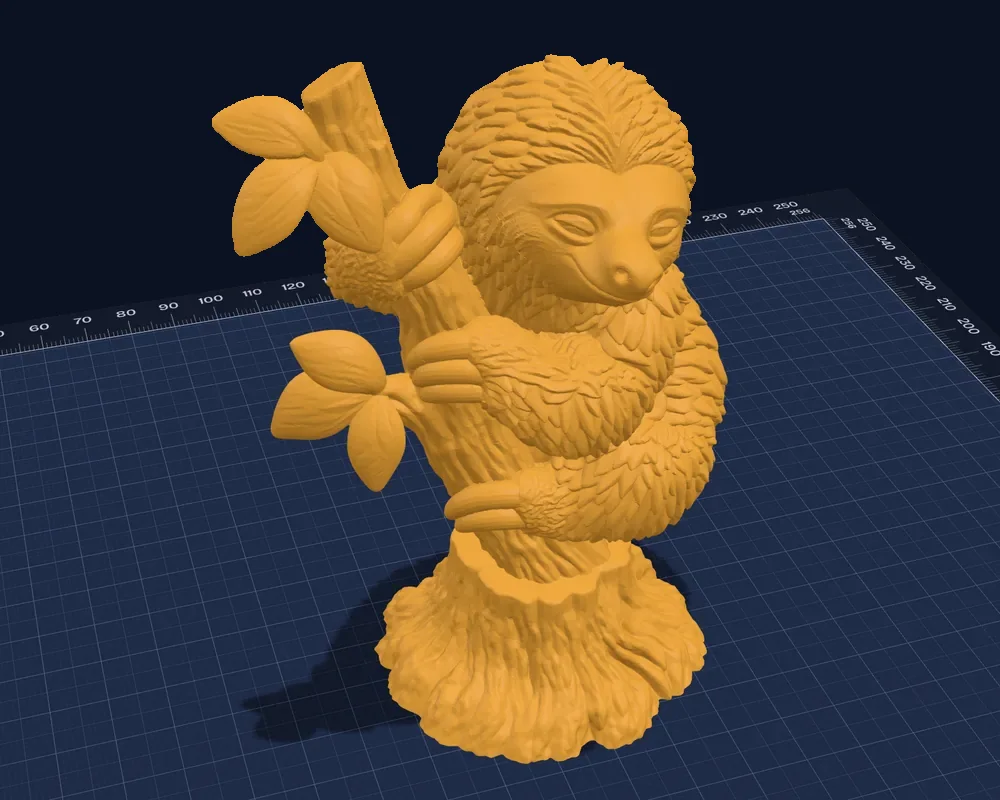
Describe a creature, character or object, like “a sloth hanging from a branch” or “a clown juggling,” and get a detailed, solid figure with a flat base, sized to fit your printer. Or turn a picture into a figure in colors (Plus).
How 3D figures work
Ask for a Craftsman bungalow, a Cape Cod cottage, a red barn, a chapel, a lighthouse on a cliff or a castle on a crag, and it’s built crisp in seconds, with doors, windows, shingles and stonework. Add a dragon to the keep and it’s sculpted and set on top as one piece.
How Create with AI works
Paint any model on the mat in colors, from a 3D figure to an STL you imported. Smart fill colors a part in one tap; there’s also a brush, a lasso, outlines, stamped text and pictures, height bands, symmetry and X-ray, or describe the colors and have it painted for you. The model stays one piece and exports as a painted 3MF for Bambu Studio, OrcaSlicer and PrusaSlicer, with an estimate of the filament changes before you print.

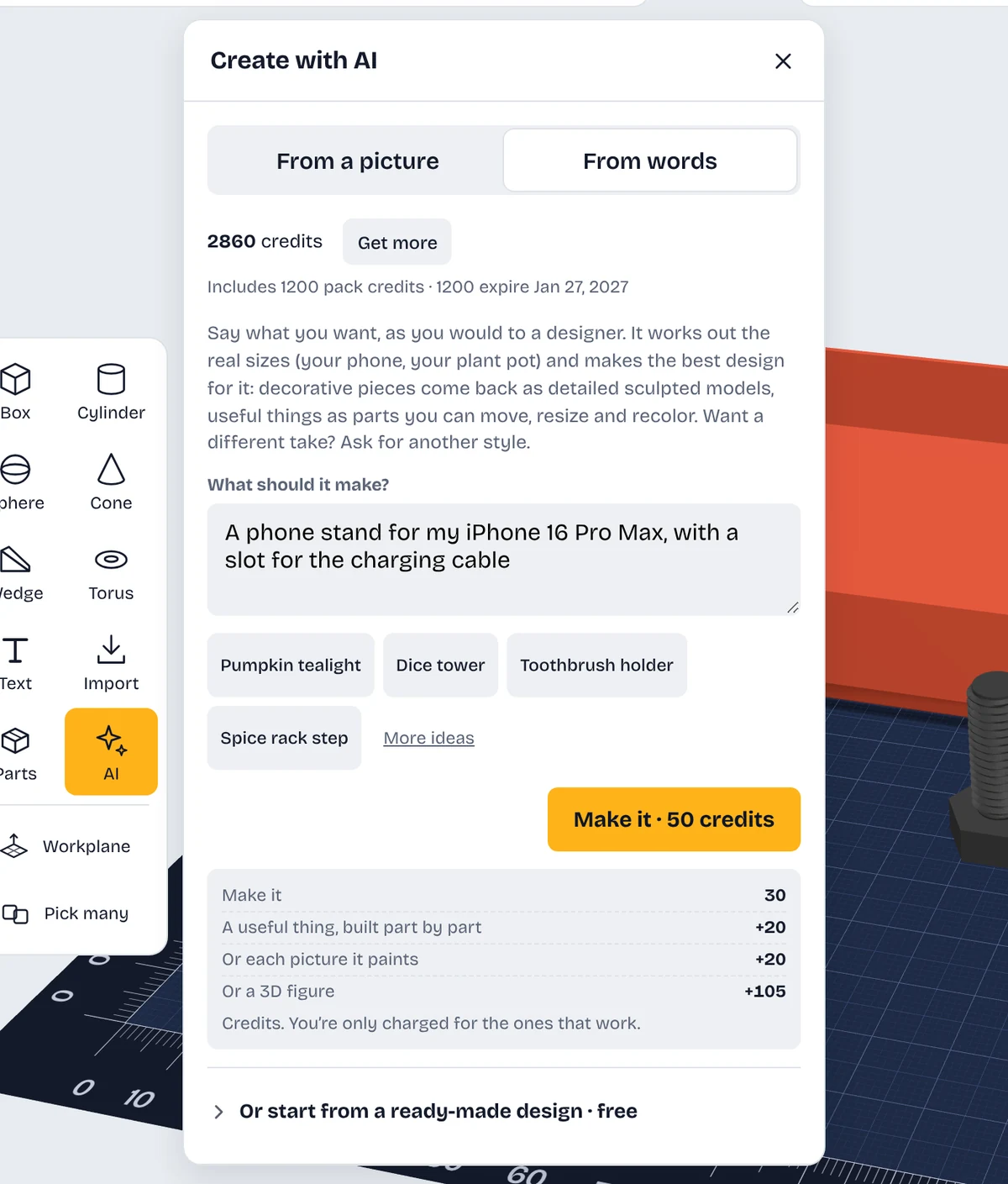
Describe what you want in a few words, like “a phone stand for an iPhone 16 Pro Max,” and get a few styles built from shapes you can still edit. Or turn a picture into flat, colored pieces for a multi-color print.
How Create with AI works
Six free print tests in Tools: fit, threads, moving parts, press-fit, overhangs and bridging. Print one, tap the number that came out best, and holes, nuts, hinges, magnet pockets and the overhang check match your printer.
Guide: Tune it to your printer
Export a 3MF with every part’s color and name. Bambu Studio, OrcaSlicer and PrusaSlicer keep every color; Cura opens the parts and you set the colors there. Included with ShapeNook Plus.
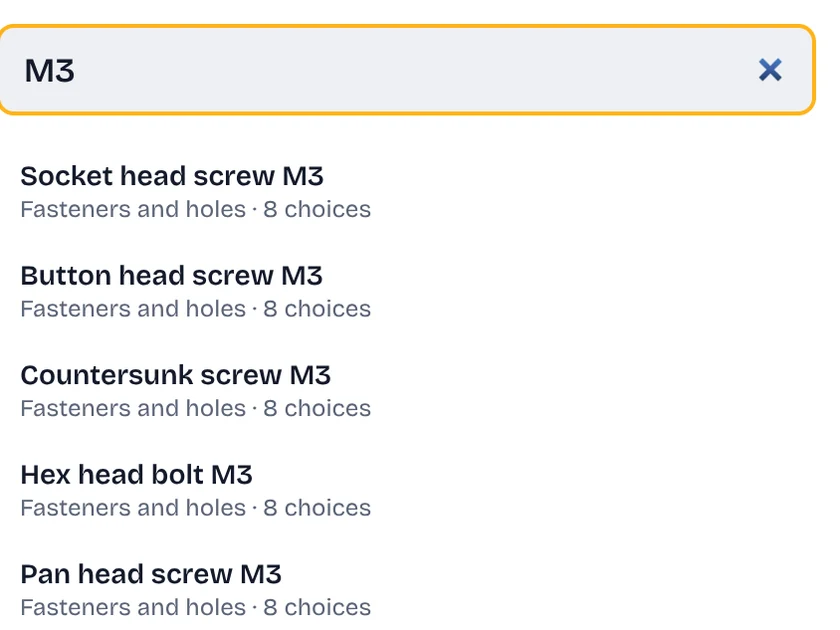
Guide: Export it for your slicerSearch 3,945 ready-made parts, like “M3”, “nut trap” or “AA battery,” and drop them in. Fasteners, holes and joints are free, and so are the pockets and stand-ins for everyday objects; every other part comes with Plus.
Guide: Using the parts library